 Reach
One screen.
Or four.
Combine existing monitors and new virtual displays, from the same Mac or different Macs.
YOUR MAC WORKSPACE, WITHIN REACH
Multiple displays from one Mac. Or a workspace across several Macs.
Bring them together on your iPad.
macOS 14+ · iPadOS / iOS 17+
Collect your notes.
Make room for the next idea.
let workspace = Workspace( screens: 4, layout: .yours
)
// Space for what’s next.
Layout illustration · App appearance varies by version.
MAKE IT YOUR WORKSPACE
For each workspace slot, choose a Mac and the display to use. Then save the workspace as a preset. Add or remove screens as your work changes.
Combine existing monitors and new virtual displays, from the same Mac or different Macs.
Choose the display size and scaling before connecting. Mac workspace size and streaming resolution are separate settings.
Touch for a quick action, a keyboard for writing, a pointer for precision. Bring your Mac’s system audio along too.
REACH HOST FOR MAC
Check connectivity and permissions. Manage Cloudflare relay settings and usage in one place.
Start on the same network for your first connection. Set up internet access when you need it.
Installation and permissions →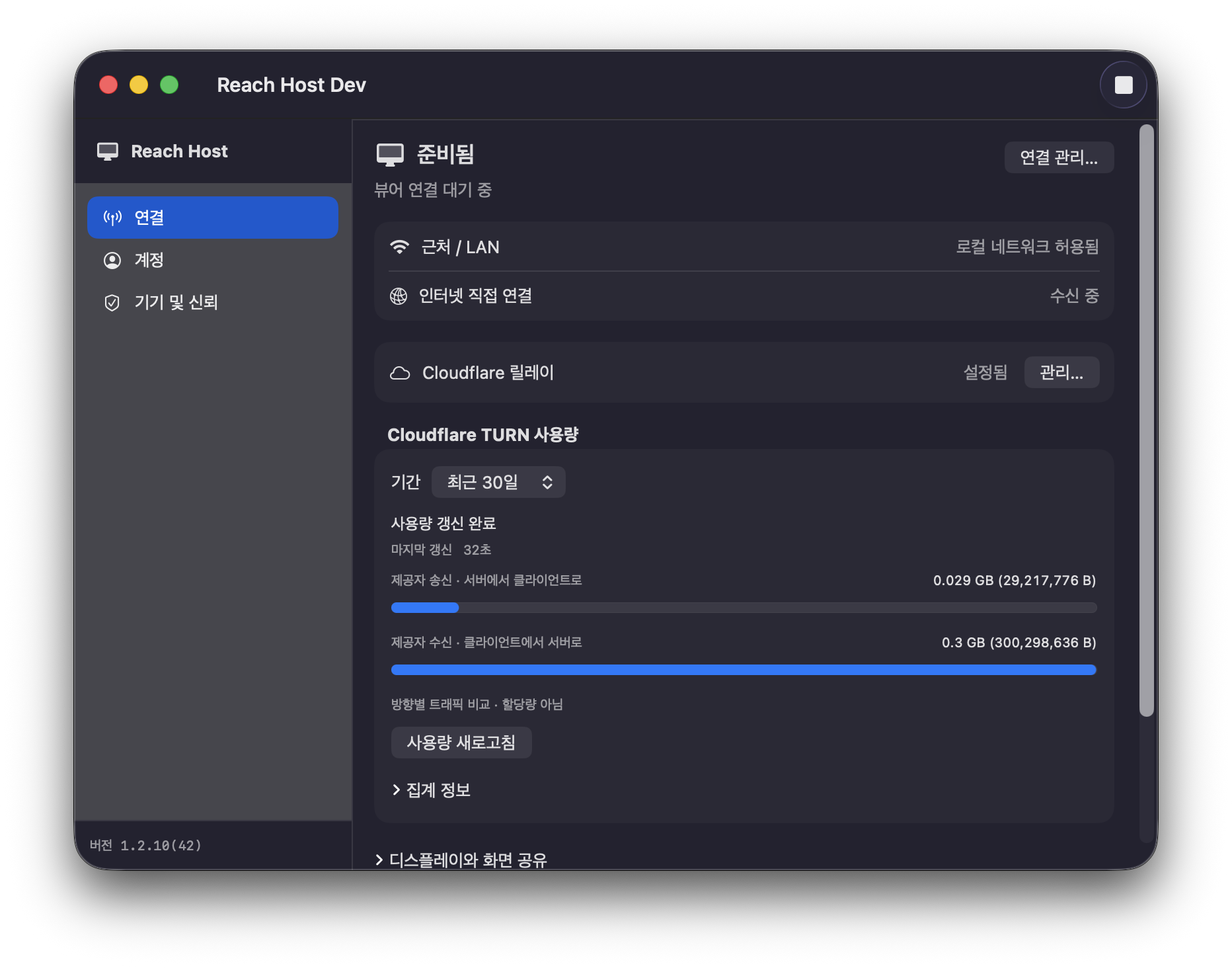
Screenshot: Reach Host Dev with its Korean interface. The app interface currently supports Korean and English.
AT YOUR DESK. AWAY FROM IT.
Available paths depend on your network. Use automatic routing, or choose a route for each Mac when needed.
Discover and pair with your Mac directly. No Reach account or Cloudflare setup is required.
First connection →Use a Reach account to find available direct paths. Manual Direct IP is also available without an account.
Explore remote access →Optionally configure relay through your own Cloudflare account. Network restrictions and Cloudflare charges may apply.
Cloudflare setup guide →BUILT AROUND TRUST
Screen, audio, and input are encrypted between your Mac and Viewer. Relaying a session carries that encrypted content.
Accounts, device identifiers, connection candidates, and operational logs are separate from session content. See what is stored, where, and how deletion works.
TWO APPS. ONE WORKSPACE.
Install Viewer on the device you use, and Host on the Mac you want to reach.
Viewer for iPad and iPhone
View on the App Store ↗iPadOS / iOS 17 or later. Designed primarily for iPad; iPhone support is experimental. See the App Store for the available version and terms.
Install on the Mac you want to connect to
Download Host for Mac ↓macOS 14 or later · Apple Silicon and Intel. Opens the installer from the latest public release.
This page introduces the new workspace experience. Feature availability depends on the released version of each app.
No. Nearby/LAN and manual Direct IP do not need it. Set up the optional relay when internet direct access is difficult.
Use existing monitors or create virtual displays. Supported sizes and scaling depend on the Mac and your workspace configuration.
Yes. Combine displays from one or more Macs in a workspace with up to four screens. Connection state and settings are scoped to each screen or Mac.